

Drag and Drop Is Dead: Are You Still Using a Platform That Still Uses Drag and Drop?
I built my career on drag-and-drop website tools. That is exactly why I feel qualified to say the model is no longer the centre of how good websites get built — and why that is not the insult it sounds like.
Where I Started: Divi, WordPress and a Blank Canvas
I personally started building websites using Divi from WordPress. At the time, drag-and-drop website building was my bread and butter. Divi made it possible to visually construct pages, move sections around, adjust layouts, and create websites without manually writing every line of code.
Before that, back in school, I was already pulling apart web pages to see how they held together. But Divi was the first tool that let me turn that curiosity into paid work. A client would describe what they wanted on a call, and by the evening I would have three sections live on a staging site. That felt like a superpower in the years when the alternative was writing every template by hand.
Over the following years I built hundreds of sites this way. I learned the shortcuts. I knew which modules loaded fast and which ones quietly added four hundred kilobytes of CSS. I knew how to fix a broken row on mobile at eleven at night. That experience is precisely what makes me sceptical of the model today.
This Is Not an Attack on WordPress or Divi
Let me be direct about this, because the headline is deliberately provocative and I do not want it misread. WordPress powers a large share of the web for good reasons. It is open, it is flexible, and it gave an entire generation of freelancers and small agencies a business model. Divi and its peers made that model viable for people who were not full-time developers.
WordPress has also evolved substantially since 2019. Block-based editing, block themes, global styles, the REST API and headless setups have moved the platform far closer to a component-based system than the page-builder era ever was. Plenty of serious, fast, well-structured sites run on WordPress today. Anyone who tells you otherwise has not looked recently. If you want a considered view on that, [Internal link: WordPress website development] is the conversation to have.
Webflow and Framer belong in this story too. Both still give you a visual canvas, but neither is a classic drag-and-drop website builder. Webflow maps its interface directly onto the box model, classes and CSS properties — you are writing stylesheets with a mouse. Framer leans on components, variants and real interaction states. Both are visual, and both quietly assume you understand structure. That is the direction of travel: visual editing survives, naive box-dragging does not.
The Quiet Decline of Photoshop-Style Web Design
There is a second habit fading at the same time: designing a whole website as a static picture, then handing that picture over to be rebuilt as a working site.
For years that was the standard process. A designer produced a beautiful 1440-pixel-wide layout. It was approved in a meeting. Then someone spent two weeks discovering that the layout said nothing about what happens at 375 pixels, what the button does while it is loading, what the empty state looks like, or how the form behaves when the email address is invalid.
A modern website is not a picture. It is a behaviour. It has responsive rules, hover and focus states, loading and error states, keyboard navigation, semantic structure for screen readers and search engines, performance budgets, third-party integrations, and content that changes without a designer touching it. A flat image cannot express any of that, which is why static mockups have shifted from being the deliverable to being one input among several.
Where a Drag and Drop Website Starts to Break Down
A drag and drop website is not useless. I want to be careful here, because absolute claims about tools are usually wrong. But in my experience the model becomes a constraint at fairly predictable moments:
- Custom functionality is required. A quote calculator, a member area, conditional pricing logic — the moment the behaviour is specific to your business, you are fighting the builder.
- The design must be genuinely responsive. Not four fixed breakpoints with manual overrides on each, but layouts that adapt fluidly.
- The project needs fast iteration. Twenty small changes across fifteen pages is twenty rounds of clicking through nested panels.
- Integrations, APIs, automations or dynamic content are involved. Most builders offer a plugin instead of a proper connection, and each plugin is another dependency.
- You need reusable components. Copying a section to nine pages means nine places to update when the phone number changes.
- Performance and technical SEO matter. Builder output is generic by design, which usually means extra markup, extra CSS and slower rendering. See [Internal link: website performance optimisation].
- The builder imposes design restrictions. When the answer to "can we do this?" becomes "not in this module", the tool is choosing your design.
- Developers need control. Version control, testing, code review and deployment pipelines are awkward or impossible in most visual builders.
Notice what is not on that list: visual editing. Seeing your work as you build it is genuinely valuable and always will be. The problem is a workflow organised around manually positioning boxes on a canvas, when what a modern project actually requires is describing intent, structuring content, wiring logic, testing behaviour and refining an entire digital experience.
What Is Replacing the Drag and Drop Website?
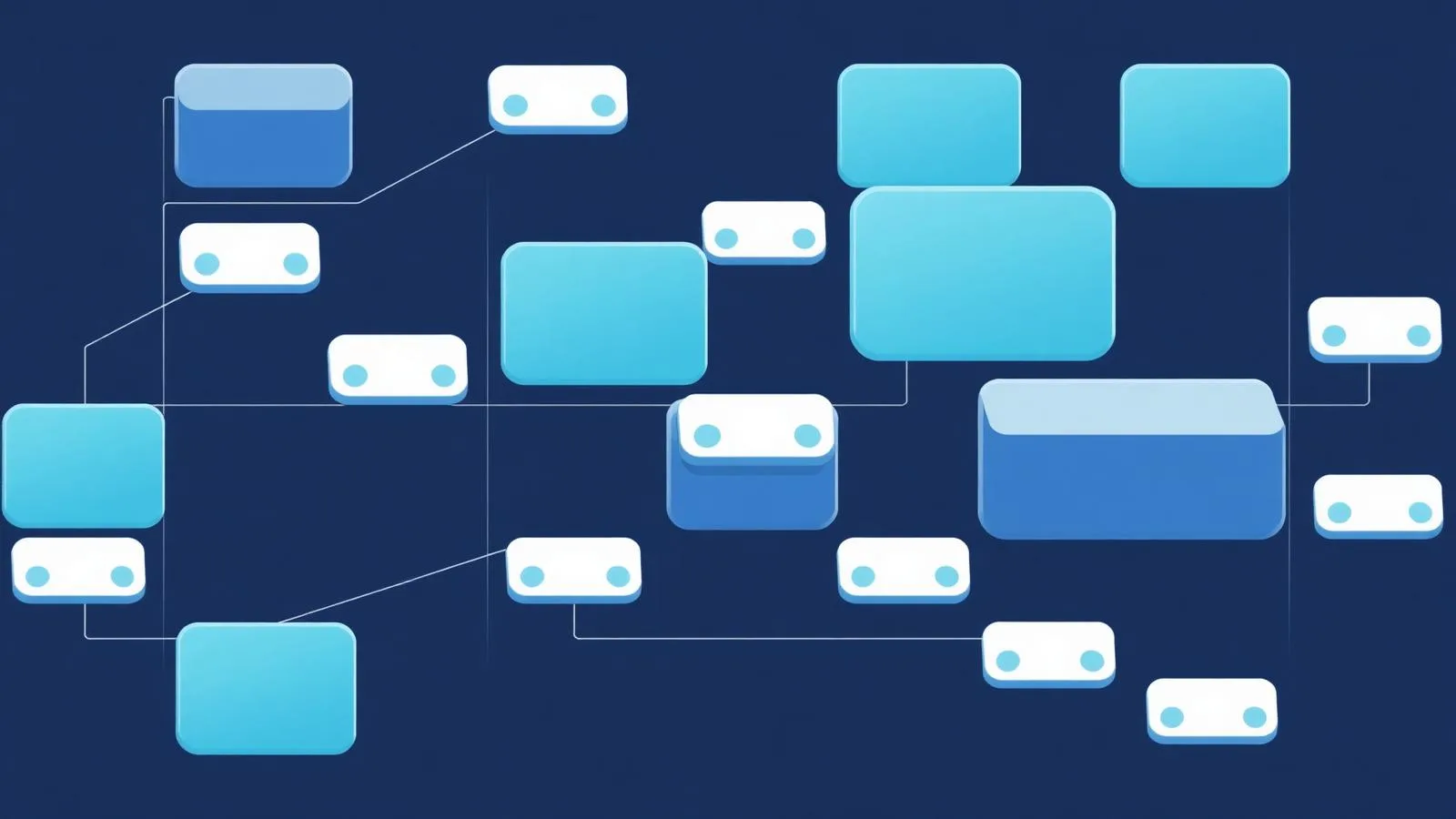
Nothing has replaced it with a single product. What has replaced it is a set of habits that now show up across almost every serious build.
Component-based systems
Instead of a page made of dragged boxes, a page is an assembly of components: a testimonial card, a pricing table, a lead form. Each exists once. Fix it once, and every page that uses it is fixed. On a thirty-page site this is the difference between an afternoon and a week.
Design systems
Colours, spacing, type scales and states are defined as tokens rather than typed into a panel on each element. Rebranding becomes a change to a handful of values. Accessibility contrast can be enforced centrally rather than checked page by page.
Reusable sections and patterns
Most business websites reuse the same dozen section types. Treating those as a library, rather than rebuilding them per page, removes an enormous amount of repetitive work.
AI-assisted development
Code generated from intent, in natural language, reviewed by a human. This is where the biggest change has happened in the last two years, and it is the subject of the next section. If you want the practical version of this for a business site, that is [Internal link: AI website development].
Tighter design, build and deploy loops
Preview environments, instant deploys and version history mean you can test a real page with real users instead of debating a mockup. Structure, logic and content are manipulated directly rather than through layers of layout controls — which also makes it far easier to get semantic markup and schema right, the foundation of [Internal link: SEO for modern websites].
Vibe Coding Changes the Workflow

Vibe coding is a plain idea wrapped in a slightly silly name. You describe what you want in ordinary language. An AI system produces the implementation. You then review it, test it, correct it, and push it in the direction you actually intended. Repeat until the thing works.
It is not magic, and it is not a replacement for professional development. The AI is doing the typing, not the thinking. The human still has to supply clear requirements, design judgement, technical direction, SEO awareness, quality control, testing, accessibility checks, security awareness, performance validation and — most importantly — an understanding of what the business is trying to achieve. Remove any one of those and the output degrades quickly.
So how powerful is it, honestly? Here is how I measure it across the dimensions that matter on real projects.
1. Speed
A functional starting point arrives in minutes rather than hours. Describing a services page with a hero, three feature blocks, a comparison table and a contact form gets you something running that you can click through immediately. Building the same thing module by module in a visual builder — placing rows, setting padding at four breakpoints, styling each button — is an afternoon's work before anyone has seen a word of the copy.
2. Efficiency
The savings compound. Because the output is structured code with reusable components, the second similar page costs a fraction of the first. Changes are expressed once and applied everywhere. The repetitive middle of web work — the part that was never creative to begin with — shrinks dramatically.
3. Practicality
This is what convinced me. A business owner can say "I need a booking page where customers pick a service, choose a time slot, and I get an email" and have a working version to test the same day. Landing pages, blogs, internal dashboards, multi-step forms, simple ecommerce flows — these move from quotation to prototype in a single sitting. Testing a real implementation beats arguing about a specification.
4. Iteration
"Make the pricing section two columns on tablet and move the guarantee above the button" is one instruction. In a drag-and-drop website builder the same change means finding the right row, opening the right tab, locating the tablet override, and hoping nothing else shifts. Iteration stops being a chore, which means you actually iterate.
5. Customisation
A fixed builder can only do what its modules were designed to do. Generated code has no such ceiling. If a client needs a custom interaction, a connection to their CRM, an unusual pricing calculation or a specific automation, that is a description away rather than a plugin hunt away.
6. Collaboration
Written prompts and specifications turn out to be an unexpectedly good shared language. A marketer, a designer, a developer and a business owner can all read "the form should validate the email, show an inline error, and send a confirmation within one minute" and agree on it. That is far harder with a screenshot and a comment thread.
7. Limitations
Now the honest part. Unreviewed AI output can produce messy structure, subtle bugs, security holes, inconsistent styling, interfaces that fail keyboard and screen reader use, thin or duplicated SEO implementation, and far more complexity than the problem deserved. I have seen sites generated in an afternoon that took a week to make safe. The failure is rarely the model — it is nobody reading the output.
Vibe coding is powerful because it reduces the distance between an idea and a working website. But speed is only valuable when the result is tested, maintainable, accessible, secure, and useful to the business.
A Balanced Comparison of the Five Approaches
None of these is correct for every project. The useful question is which trade-off you can live with.
| Approach | Main strength | Main limitation | Best use case |
|---|---|---|---|
| Traditional drag-and-drop builder | Anyone can publish a page without help | Hard ceiling on customisation and performance | Small brochure sites and one-page campaigns |
| WordPress visual builder | Huge plugin ecosystem and content management maturity | Plugin weight, updates and ongoing maintenance load | Content-heavy sites with regular publishing |
| Webflow or Framer | Precise visual control with clean, class-based output | Real learning curve and platform-bound hosting | Design-led marketing sites built by skilled designers |
| Custom-coded website | Full control over performance, logic and architecture | Highest cost and slowest to start | Complex products, apps and long-lived platforms |
| AI-assisted or vibe-coded website | Fast path from description to working, ownable code | Quality depends entirely on human review and testing | Custom sites needing speed, iteration and integrations |
Should You Abandon Your Drag and Drop Website?
Probably not today, and possibly not at all. Migration is a real cost — content, links, rankings, staff retraining. It needs a real reason.
Keep it if
- The site is simple, stable and does not break every time a plugin updates.
- Maintenance is affordable and predictable.
- It brings in enquiries and meets the business goals you set for it.
- Nobody on your team is losing hours fighting the interface.
Consider changing if
- Pages load slowly and no amount of caching fixes it.
- Every customisation request turns into a workaround or a new plugin.
- Licence and maintenance costs keep climbing without new capability.
- You cannot control markup enough to do technical SEO properly.
- The platform is actively limiting what the business can offer online.
And a warning worth repeating: do not migrate because a technology is fashionable. Make the decision on speed, performance, flexibility, maintainability, SEO, security, integrations and business requirements. If you cannot name which of those improves, stay where you are.
Where Drag and Drop Still Makes Sense
I would still recommend a visual builder in plenty of situations, and I do not think there is anything second-rate about choosing one:
- Simple brochure websites that need to exist, look decent and be findable.
- Quick prototypes to show a stakeholder before committing budget.
- Early-stage businesses that need to be online this week, not next quarter.
- Small landing pages for a single campaign or event.
- Non-technical owners who want to change their own opening hours without calling anyone.
- Fast internal experiments where nothing is at stake.
- Projects with genuinely limited custom requirements.
A hairdresser with five pages and a booking link does not need a component architecture. Recommending one would be me serving my own interests, not theirs.
The Future Is Visual Thinking Plus Human Judgement
The future is not "no visual interfaces". Humans are visual, and we will always want to see what we are making. What is changing is what sits underneath the visuals: reusable components, design systems, code generated from natural-language intent, and a human deciding whether the result is actually good.
The most effective teams I work with now combine all of it. They think visually, build with components, let AI handle the first draft of the implementation, and apply hard-won judgement to everything that ships. That combination is faster than a builder and cheaper than traditional custom development, without giving up control of either.
Drag and drop is not disappearing overnight. But it is no longer the only or most powerful way to build a website. If your platform still treats website development as manually dragging boxes onto a canvas, it may be time to ask whether the tool is helping you build — or simply slowing down the way you think.
Share this article
Frequently Asked Questions
- What is a drag and drop website?
- A drag and drop website is a site built inside a visual editor where you place pre-made blocks — sections, columns, buttons, images — onto a canvas with your mouse, then adjust their settings in side panels. The builder converts those blocks into HTML, CSS and JavaScript for you, so no manual coding is required to publish a page.
- Are drag-and-drop website builders still useful?
- Yes. For brochure sites, small landing pages, early-stage businesses and non-technical owners who need to publish quickly, a drag-and-drop builder is often the sensible choice. The limitations appear when you need custom functionality, deep integrations, strict performance budgets or reusable systems across many pages.
- Is vibe coding better than a drag-and-drop website builder?
- It is better for speed, flexibility and iteration, and worse if nobody reviews the output. Vibe coding produces real code you own, which means it can do things a fixed builder cannot — but it also means bugs, weak accessibility or security gaps ship unless someone with technical judgement checks the result.
- Can vibe coding create a complete website?
- It can create a complete, working website including pages, forms, dashboards, databases and integrations. What it cannot do on its own is decide what the business needs, verify accessibility and performance, or take responsibility for security and maintenance. Those still require a human with experience.
- Should I move my WordPress website to an AI website platform?
- Only if your current site is genuinely holding you back — slow load times, expensive maintenance, plugin conflicts, or features you cannot build. If your WordPress site performs well and meets your goals, migrating for the sake of new technology is an expense with no return. Decide on performance, flexibility, maintainability, SEO and cost, not fashion.
Browse related topics

Founder of Roquepress with over a decade of hands-on experience in web development, SEO, paid advertising, and digital strategy across Singapore and Southeast Asia. He writes from direct experience — no theory, no fluff.
Related Articles
- Your Website Isn't Lazy — It's Just Not Smart YetWhy most sites stop working the moment they launch.
- Buying Software vs Custom Software DevelopmentHow to decide between subscriptions and building your own.
- Rate Your Website 1–10: Why It Still MattersThree metrics that decide whether your site is an asset.
- From Brochure to BrainHow AI turns a static site into a 24/7 sales rep.